IEEE citation for engineering and computer science: BibTeX guide

For engineering and computer science students, IEEE citation style connects claims in a manuscript to a numbered reference list. Start by recording the sources you read, cite them as you write, and use BibTeX with IEEEtran to format the bibliography in LaTeX.
Byline: Dr. Rajni Garg
Why IEEE citation matters for technical writing
When you write a technical report, readers need to distinguish your analysis from the evidence you cite. IEEE references provide that connection as a number beside a claim points to the source’s full details at the end of the document. Carleton University Library explains the conventions used in engineering, computer science, and related fields.
Before collecting references, check your assignment, department handbook, or publication instructions. Citation style and document layout are separate. A requirement to use IEEE references does not automatically require an IEEE journal layout, different thesis margins, or a new title page.
Once you know which rules apply, follow the same path through the manuscript: record the evidence, connect it to your writing, then check the finished references. Formatting comes last because a correctly styled citation still needs to identify the right source.
From your first source to the finished bibliography
Record each source while you read
Your bibliography begins before you write the first paragraph. When you find a useful publication, save it and record its authors, title, date, and publication details. These fields are called bibliographic metadata; they identify the work so someone else can find it.
Keep those details beside your reading notes. If a paper supports a particular claim, note the relevant passage as well. This separates what the source says from the conclusions you draw from it.
Identify the source type at this stage. A journal article, conference paper, and book need different reference fields, even if you read all three online. Finding a paper through a database does not turn it into a database or website reference.
For each source, keep:
- The original publication or specific webpage.
- Author names in their published order.
- The title and journal, proceedings, or publisher details.
- The DOI, when the source provides one.
Leave unknown details unresolved rather than supplying a plausible date or author. With the source recorded, you can now connect it to a claim in your draft.
Cite the source where you use its evidence
As you write, place a reference number in square brackets after the information it supports. Leave a space before the bracket and put the citation before the punctuation. The IEEE Reference Guide explains this placement and how to identify specific parts of a source.
For example, the first source you cite receives the number [1]. A sentence based on that source ends with [1]. If you discuss the same source later, use [1] again rather than assigning another number.
This rule keeps the manuscript readable, but citation placement still matters. If a paragraph combines evidence from several papers with your own analysis, one citation at the end can obscure which source supports which statement. Place each citation close to the relevant claim.
When readers need a particular passage, add a locator: a page, figure, equation, or section number. Use the publication’s page numbers, not the PDF viewer’s count. Citing a different passage does not create a new source or a new reference number.
Before moving on, check that you:
- Place citations beside the claims they support.
- Reuse each source’s original number.
- Add a locator when readers need a specific passage.
- Follow your required guide’s format for citing several sources together.
Let first appearances determine the reference order
As the draft grows, each new source takes the next available number. The first becomes [1], the second becomes [2], and later mentions return to the number already assigned. IEEE reference lists follow first-citation order, not alphabetical order.
Place the reference list at the end of your document and assign one source to each number. The number in the text and the number in the list must identify the same work. That connection matters more than whether an isolated reference looks correct.
You can format the entries manually from verified publication details. The AnswerThis IEEE citation generator also retrieves source details and produces numbered references. Its saved-source order does not establish the order in your manuscript, so compare the generated sequence with your actual first citations.
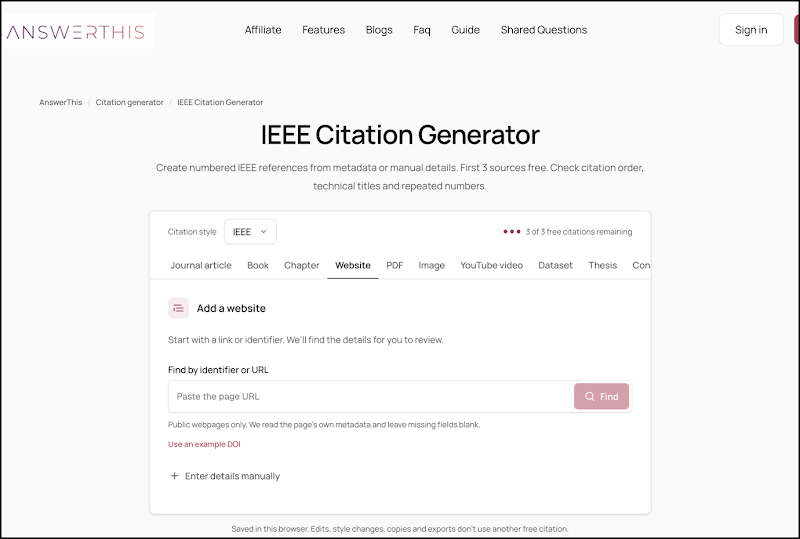
This becomes especially important during revision. Moving a paragraph toward the beginning can change the source that first appears. After a structural edit, check that:
- Every citation points to the intended reference.
- Repeated sources retain the same number.
- Duplicate records do not create extra references.
- The reference list follows the revised text’s first appearances.
Once the sequence is clear, the next task is to give each source the right kind of reference entry.
Match each reference to its source type
The source type determines which publication details readers need. A journal article needs its journal context; a conference paper needs its proceedings context. A generic website format cannot replace either just because you accessed the work online.
The templates below show common fields (not references to real publications). Replace every placeholder with verified information and check the source-specific instructions in the IEEE Reference Guide.
Journal article
[reference number] Author initials and surname, “Article title,” Abbreviated journal title, vol. [volume], no. [issue], pp. [page range], [publication date], doi: [DOI].
Use the journal name, not the database where you found the article. If the journal uses an article number rather than a page range, follow the appropriate article-identifier format.
Conference paper
[reference number] Author initials and surname, “Paper title,” in Abbreviated proceedings title, [publication year], pp. [page range], doi: [DOI].
Keep the paper title separate from the proceedings title. The published proceedings identify the paper; the conference homepage does not replace them.
Book
[reference number] Author initials and surname, Book title, [edition if applicable]. [Publisher location]: [Publisher], [publication year].
Use the edition you actually read. Combining a title from one edition with the publisher or date from another can identify the wrong version.
Website
[reference number] Author or organization. “Page title.” Website name. Accessed: [actual access date]. [Online]. Available: [verified page URL].
Cite the specific page you used. Keep the access date separate from the publication date: one records your visit, while the other records when the content appeared.
Before accepting an entry:
- Confirm that its format matches the source type.
- Include the fields that apply to that publication.
- Check titles and required abbreviations.
- Verify dates, identifiers, and page information.
These checks apply whether you type references yourself or use software. In LaTeX, you store the same verified details as structured records rather than formatting each entry by hand.
Connect your source records to LaTeX
A .bib file holds those structured records. BibTeX processes them, and a bibliography style controls how they appear in the final document. A .bib file alone does not make the bibliography IEEE-formatted.
CTAN’s IEEEtran package includes both a document class and a BibTeX bibliography style. They do different jobs: the class controls document layout, while IEEEtran.bst controls reference formatting. Keep your university’s thesis template unless its instructions require a change.
To see how the pieces connect, save the following record as references.bib. It describes the Carleton guide linked earlier. The record leaves out the publication date because no verified date is available here.
@misc{carletonIEEE,
author = {{Carleton University Library}},
title = {{IEEE} Citation Style},
howpublished = {\url{https://library.carleton.ca/guides/help/ieee-citation-style}}
}
The label carletonIEEE is the citation key. You use it in the manuscript to select this record. The braces around the organization keep its name together, while the braces around IEEE protect the acronym’s capitalization.
Now save this LaTeX document:
\documentclass{article}
\usepackage{url}
\begin{document}
Citation guidance is available from the university library
\cite{carletonIEEE}.
\bibliographystyle{IEEEtran}
\bibliography{references}
\end{document}
The citation command selects the source record, the bibliography-style command selects IEEEtran, and the bibliography command names the source file. Compile with a LaTeX and BibTeX workflow, then inspect the PDF. The example demonstrates the link between a citation and its record; it does not provide a complete thesis template.
For your own document:
- Make sure the IEEEtran bibliography style is available.
- Match each citation key to its .bib record.
- Reuse the key whenever you cite that source again.
- Correct source details in the .bib file, not the generated reference list.
With that connection working, you can add more sources without typing every record from scratch.
Import more records without losing accuracy
A DOI is a persistent publication identifier. Use it to retrieve a source’s bibliographic record, then compare the returned details with the publication. The identifier helps locate the work; it does not provide its full text or verify its findings.
You can retrieve records from a publisher or database. The AnswerThis DOI to BibTeX converter also turns DOI lists into structured bibliography entries. Download the output and add it to your LaTeX or Overleaf project; the converter does not transfer it there automatically.
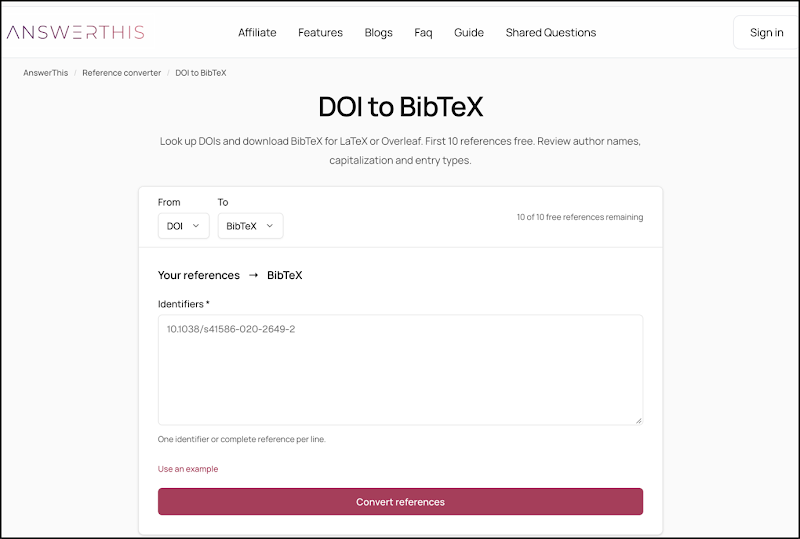
Choose the output that fits your task. BibTeX supplies reusable records for a bibliography workflow. An APA reference supplies formatted text in a different citation style. They are not interchangeable outputs.
If a database gives you RIS instead, keep the original export before converting it. RIS is another format for exchanging reference records. Conversion does not remove the need to check the resulting fields.
Before adding imported entries:
- Compare titles and author order with the publications.
- Check entry types and publication details.
- Preserve the DOI and verify its source.
- Resolve duplicate citation keys.
- Keep successful records while investigating failed lookups.
- Compile a sample and inspect the references.
The goal is not simply to produce a file that compiles. It is to carry accurate source details into a manuscript whose citations still point to the right evidence.
Keep the bibliography workflow consistent
If your project already uses BibLaTeX, keep that system and select an IEEE-compatible BibLaTeX style instead. CTAN’s biblatex-ieee package provides such a style; follow its instructions rather than mixing its commands with the BibTeX example.
Your course or publication template should determine the setup. The main choices differ in how they manage the references, not in whether you need to verify the sources.
Option | Best for | What it does | Main limitation |
|---|---|---|---|
Manual references | Short documents without bibliography software | You format and number each reference | You must update numbering after edits |
BibTeX with IEEEtran | LaTeX projects built around traditional BibTeX | Formats records with IEEEtran.bst | It needs accurate records and the required style file |
BibLaTeX with an IEEE style | Projects already using BibLaTeX | Applies an IEEE-compatible style through BibLaTeX | It uses a different setup from traditional BibTeX |
Once you choose a workflow, use it throughout the document. Changing systems partway through adds another setup to check without fixing inaccurate source records.
Catch the mistakes that survive formatting
A bibliography can look finished while its underlying connections remain wrong. Before submission, look beyond punctuation and italics to the source, its number, and the claim it supports.
- Alphabetized references: restore first-citation order.
- New numbers for repeated sources: return to the original number or citation key.
- Webpage entries for published papers: use the actual source type.
- Unchecked imported fields: compare them with the publication.
- Unsupported claims: reread the cited passage rather than adjusting the reference format.
These checks bring you back to where the process began: the publication you read and the reason you cited it.
FAQs
How do I cite a source in IEEE format?
Place its reference number in square brackets after the cited information and before punctuation. Give the source’s full details in the reference list.
Does a BibTeX file automatically use IEEE style?
No. A .bib file stores source details. Select an IEEE bibliography style, such as IEEEtran, to control the formatted output.
What should I check after converting DOIs to BibTeX?
Check author order, title, entry type, publication details, and the DOI against each publication. Resolve duplicate keys and inspect the references after compiling.
Author bio: Dr. Rajni Garg is Executive Lead, Research & Content Strategy, in the Research & Development Department at AnswerThis, a research platform for students and researchers.